01
Start Hindsight Mode
You choose when the microphone session begins. On first use, Hindsight shows an acknowledgement before audio buffering starts.
Hindsight Audio helps you save the moment you only realise mattered after it has passed.
When you tap START, Hindsight Mode uses the microphone to keep a temporary rolling audio buffer on this device. If you do nothing, older audio disappears as the buffer moves forward.
Your audio stays on your phone. You start, stop, and control every session, with Android showing an ongoing notification while Hindsight Mode is active.
Launching soon on Google Play.
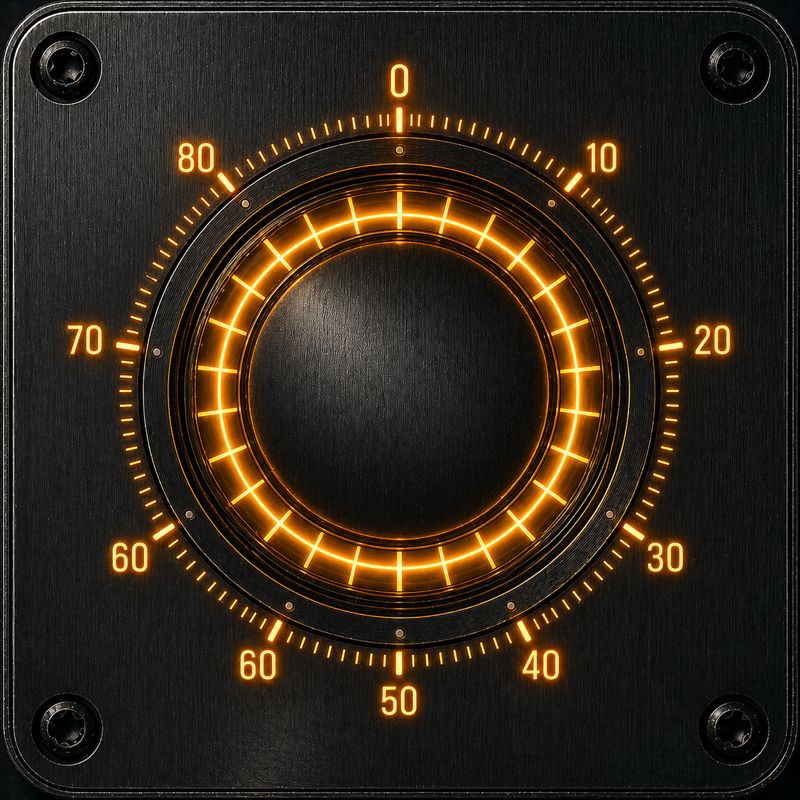
Hindsight Mode
Visible session. Temporary buffer.
A clear, user-controlled flow
01
You choose when the microphone session begins. On first use, Hindsight shows an acknowledgement before audio buffering starts.
02
While Hindsight Mode is active, your phone keeps a temporary rolling audio buffer.
03
Use Hindsight Capture, the save controls, or Range Extractor in UnBound to keep the recent section you want.
04
Unsaved audio is automatically discarded as the rolling buffer moves forward.
05
STOP asks for confirmation, ends Hindsight Mode, stops microphone use, and clears the temporary buffer. Saved clips are not deleted.
06
Hindsight runs as an Android foreground service with an ongoing system notification, and Android may show microphone privacy indicators.
Practical details
Hindsight is built around deliberate user control, but Android devices, audio sources, and shortcuts can behave differently. The details below keep the app experience clear and predictable.
A wired or USB headset microphone can be preferred from the in-app toggle when available. Bluetooth microphone support is not currently claimed.
Stopping from the notification opens Hindsight and shows the same confirmation dialog as in-app STOP, so one accidental tap does not clear the buffer.
Battery optimisation, memory pressure, calls, OEM restrictions, restarts, or permission changes may interrupt buffering. Hindsight is not a guaranteed continuous capture system.
Inside the app
The interface is built around deliberate actions: start Hindsight Mode, choose what to save, and keep saved clips organised on your device.
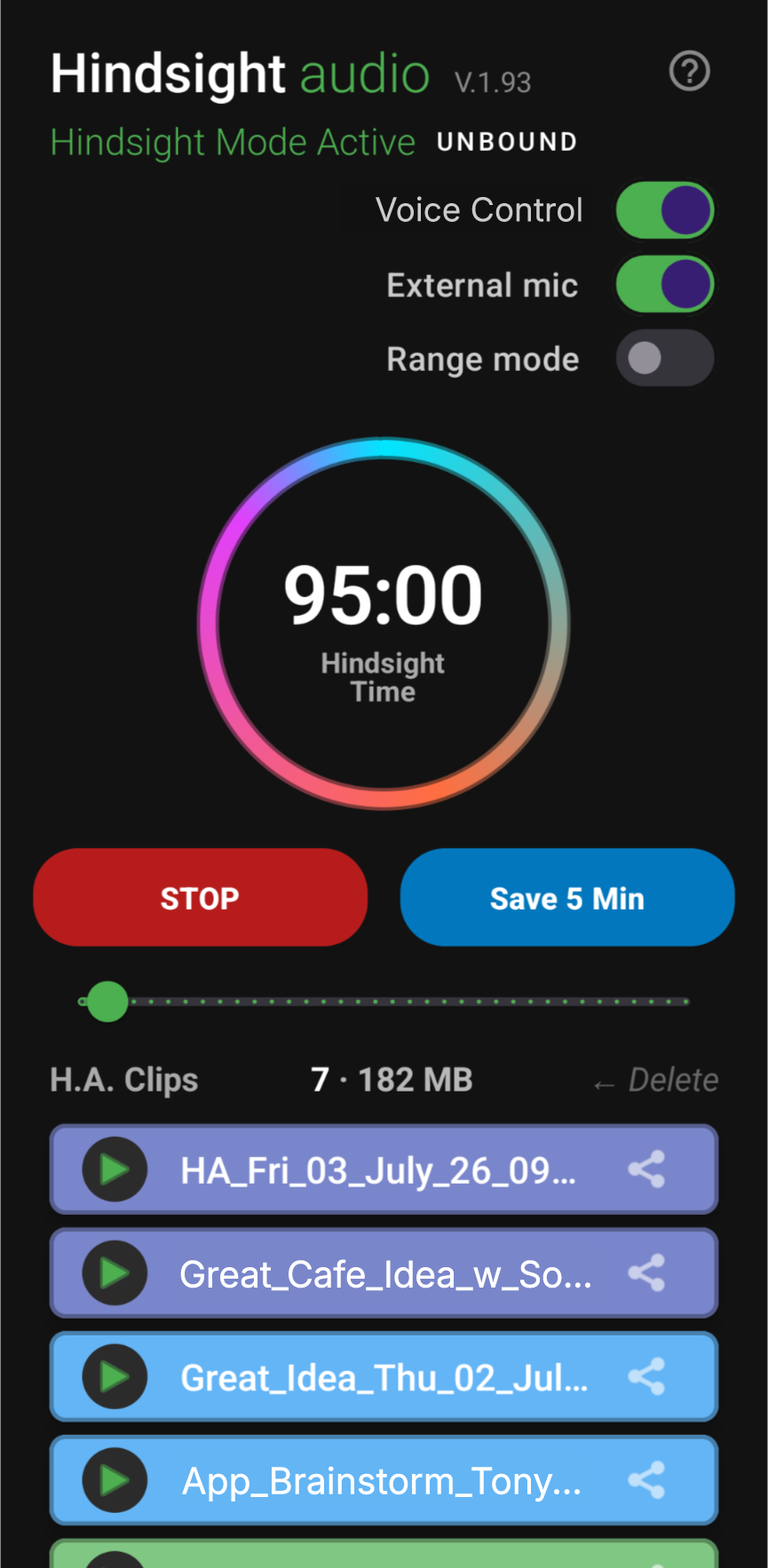
Save controls
Use the slider to choose how many minutes back to save, or use Hindsight Capture while Hindsight Mode is active.
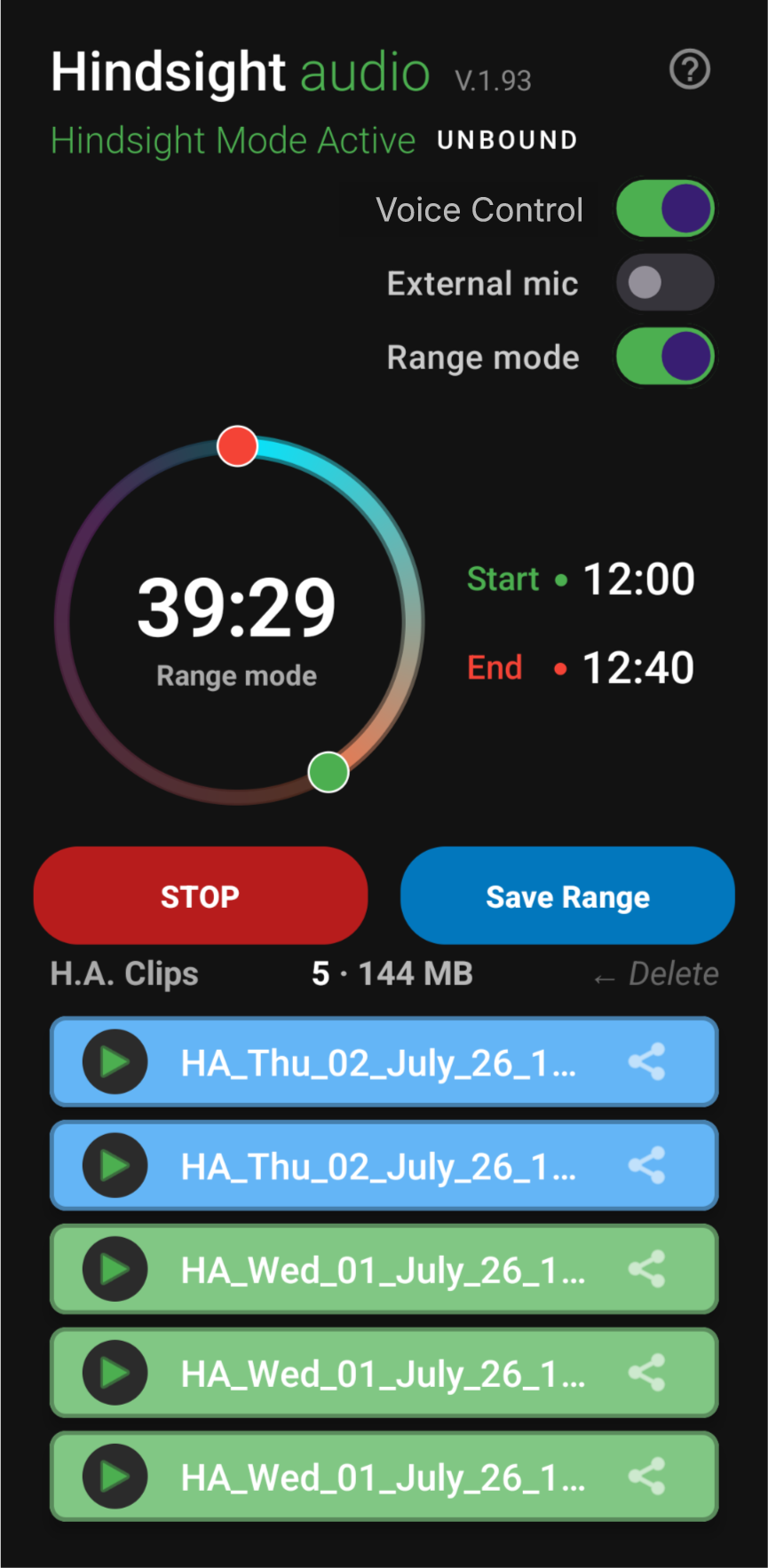
UnBound
Range Extractor, shown as Range Mode in the app, lets UnBound users choose precise start and end points inside the available buffer.
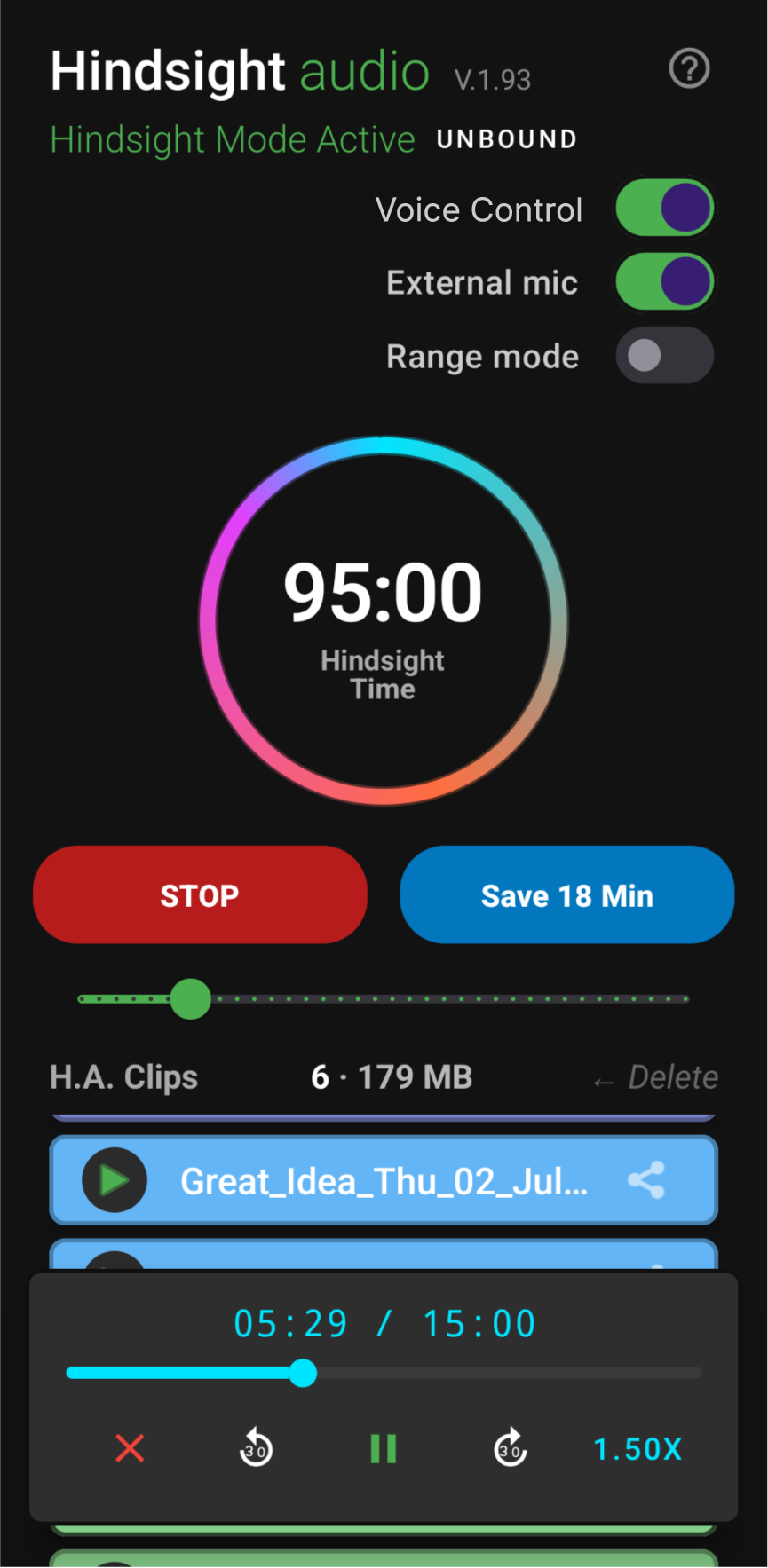
Saved clips
Saved clips stay on your device, can be renamed or deleted, and can be reviewed in the built-in mini player.
Recent Saves
Recent Saves uses a weekday colour key so clips are easier to scan at a glance. The stack below mirrors the app’s clip-card feel without exposing file contents or private audio.
When a clip is playing, the active card is lightened and the border is darkened for readability.
Sunday
Light red clip card
Monday
Light orange clip card
Tuesday
Light yellow clip card
Wednesday
Light green clip card
Thursday
Light blue clip card
Friday
Light indigo clip card
Saturday
Light purple clip card

Built for real life
Save a useful thought after it happens without breaking your flow.
Keep the action item, name, quote, or decision you need to check later.
Save important wording for your own reference where audio saving is allowed and appropriate.
When life moves faster than your notes, Hindsight gives you a short way back.
Always use Hindsight only where saving audio is lawful and appropriate, and obtain any consent required in your location or situation.
Voice saving
While Hindsight Mode is active, say Hindsight Capture. After the tone, say how much recent audio you want to save.
“Five minutes” · “Half an hour” · “Everything”
“Everything” means the available rolling buffer, up to your plan limit. Turning off Voice Control disables the “Hindsight Capture” shortcut only; use STOP to end microphone use and clear the temporary buffer.
Range Extractor, shown as Range Mode in the app, lets UnBound users choose the exact start and end of a saved clip inside the available buffer. Set the green and red handles on the dial, then save only the section you need.
Included with UnBound
Private by design
Hindsight separates local audio handling from online subscription services. Hindsight and Structured Solutions do not receive your audio; Google Play and RevenueCat are used to purchase, restore, and verify UnBound access.
The rolling buffer and voice-command processing remain on-device. Hindsight does not upload audio for cloud processing.
Audio becomes a saved clip only when you choose to keep it. Saved clips remain local until you delete them.
The core app does not require a Hindsight account or your email address.
Android provides an ongoing foreground-service notification while the session is active, and may show microphone privacy indicators depending on Android version and device.
Choose your reach-back window
Free
Subscription
Purchased securely through Google Play. Subscription access is managed and verified using RevenueCat.